Keep your group together on every ride.
Everyone on one voice channel and one live map, all following a route you plan once. It works anywhere with mobile signal, installs like an app on any phone, and watches the group's back with fall detection and one-tap SOS.
Free for 7 days, up to 5 riders. No card needed to start.

Everything a group needs on the road, in one app.
Built for riders, not repurposed from a car app. Routing, voice, safety and your whole setup in one place, and it works the same in your home valley or a thousand miles away.
Live voice mesh
Talk to your whole group with no extra hardware and no expensive headsets, just your phone, with unlimited range over the internet. Six studio audio profiles tune your voice to the ride · including Moto and Storm for big V-twins so a loud exhaust does not drown you out.
The whole group on one map
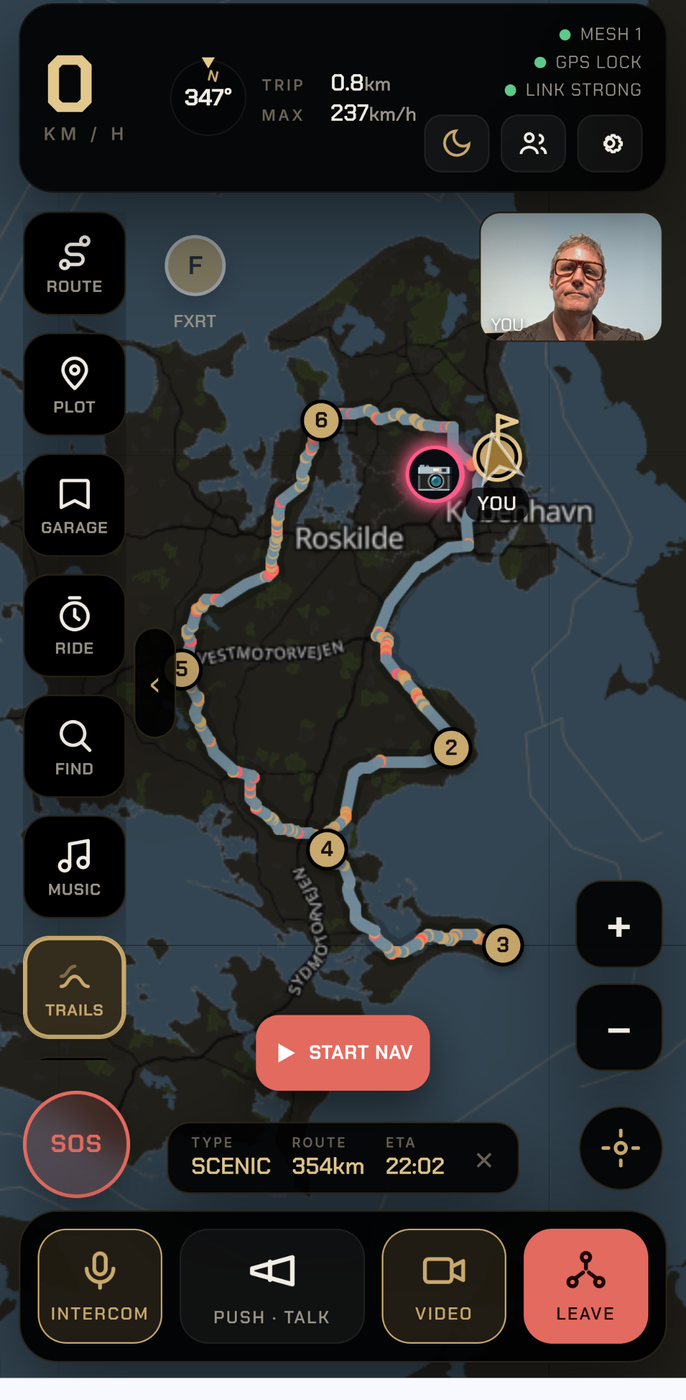
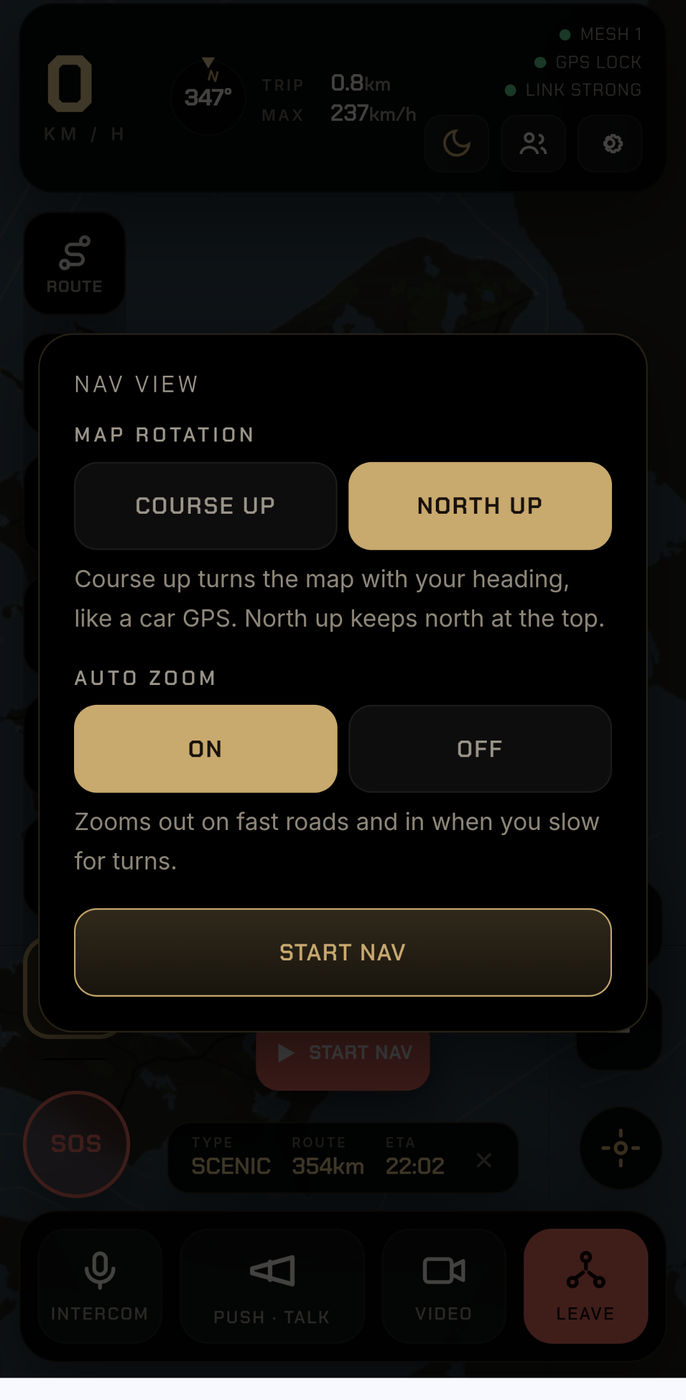
Every rider’s position updates live on a fast map that tilts into a 3D street-level view as you navigate, or a clean flat 2D map you can switch to anytime. See the group spread out behind you so nobody gets left at a junction.
Plan once, everyone follows
Build a route with your stops, share it to the group with a tap, and everyone rides the same line with turn-by-turn voice guidance.
Routing built for a bike
Fast, curvy and scenic profiles that seek out the good roads. Keep a whole ride inside one country with a tap, and avoid motorways, ferries or city centres. Works worldwide.
Look out for each other
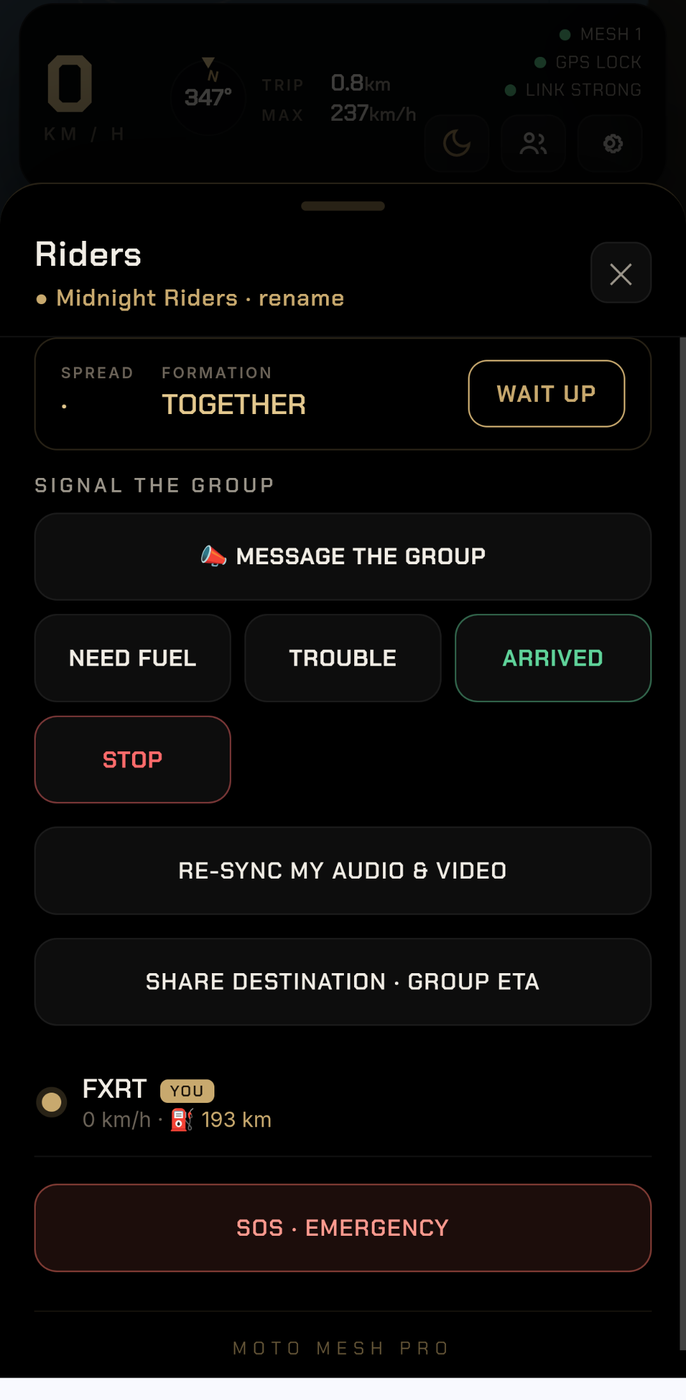
One tap raises an SOS with your live location to your riders. Automatic fall detection calls for help if you come off and cannot reach the phone, with two emergency contacts always a tap away.
Never lose your setup
Your routes, places, SOS contacts and rides back up to your own group in a tap, with dated versions to roll back to. New phone? Type one code and it is all there.
Weather on your line
A live rain radar over the map and conditions sampled along your route, so you see the weather coming before you ride into it.
Fuel, hazards and cameras
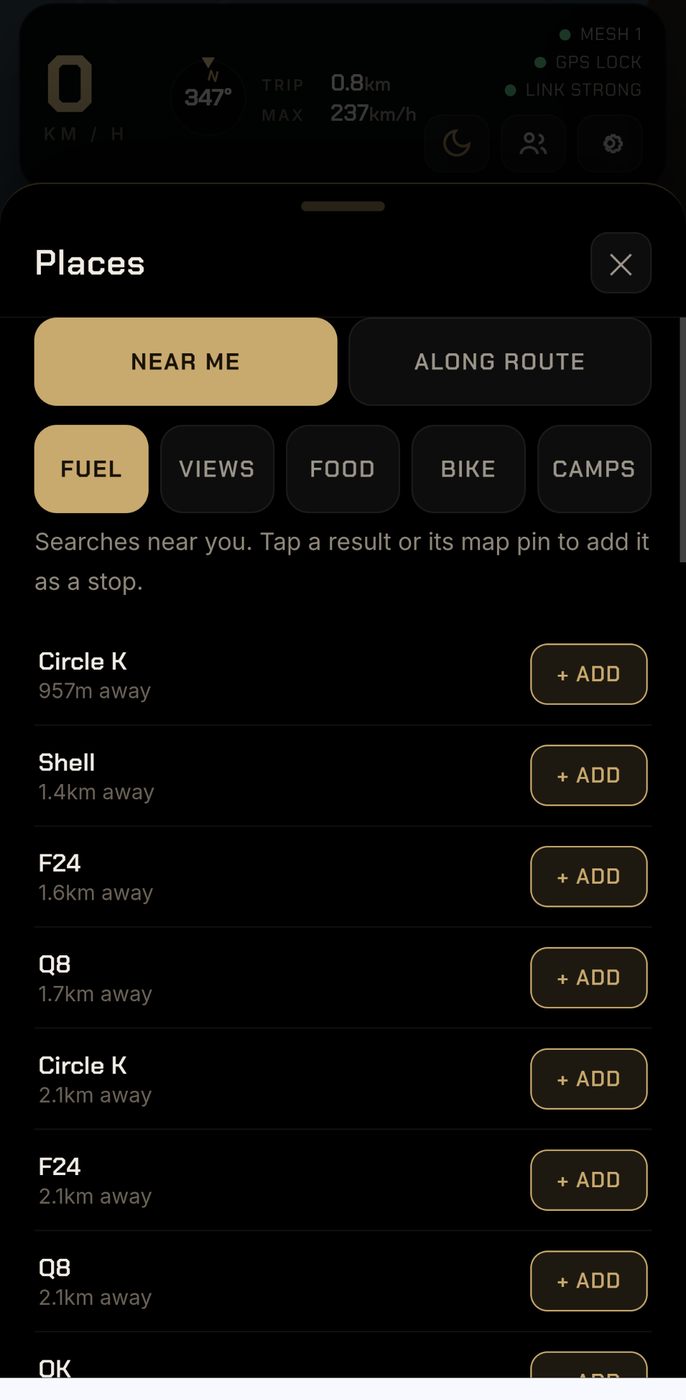
Find fuel along the route, hear spoken hazard and speed-camera alerts, and see the current speed limit as you ride.
Installs on any phone, works offline
Android riders install the Moto Mesh app for intercom that keeps running in the background · iPhone riders add it to the home screen and ride from the browser (iOS app on the roadmap). Your maps and setup stay usable even when the signal drops.
Community route board
Discover and share real rides. Browse routes other riders have ridden, filter by scenic, twisty, coastal, mountain, dining, views or loop, and load any route straight into your own navigation. Share your own, rate and comment. Part of a paid subscription.
How Moto Mesh Pro stands apart.
Compared with the three things riders currently improvise with: helmet mesh hardware, a general-purpose navigation app, and a messaging thread.
| Capability | Moto Mesh Pro | Helmet mesh hardware | Generic navigation apps | Messaging apps |
|---|---|---|---|---|
| Voice range | Unlimited (mobile network) | ~1–2 km line of sight | — | Calls only, no group audio mix |
| Group voice (open mic + push-to-talk) | ✓ Both modes | ✓ | — | Partial |
| Turn-by-turn navigation | ✓ Voice-linked | — | ✓ | — |
| Live rider positions on one map | ✓ Speed & fuel | — | Single share links | Static pins |
| Rider drop-off alerts | ✓ Automatic | — | — | — |
| One-tap SOS with live location | ✓ Always on screen | — | — | Manual message |
| Navigate to a lost rider | ✓ One tap | — | — | — |
| Regroup point with distance & direction | ✓ Every rider | — | — | Manual coordination |
| Weather checked along the route | ✓ Automatic alerts | — | Separate app | — |
| Group video | ✓ Up to 5 cameras | — | — | Not while riding |
| Route library, GPX & group sharing | ✓ Built in | — | Partial | File attachments |
| Extra hardware required | None | €200–400 per rider | None | None |
| Works with any helmet & headset | ✓ | Brand ecosystems | ✓ | ✓ |
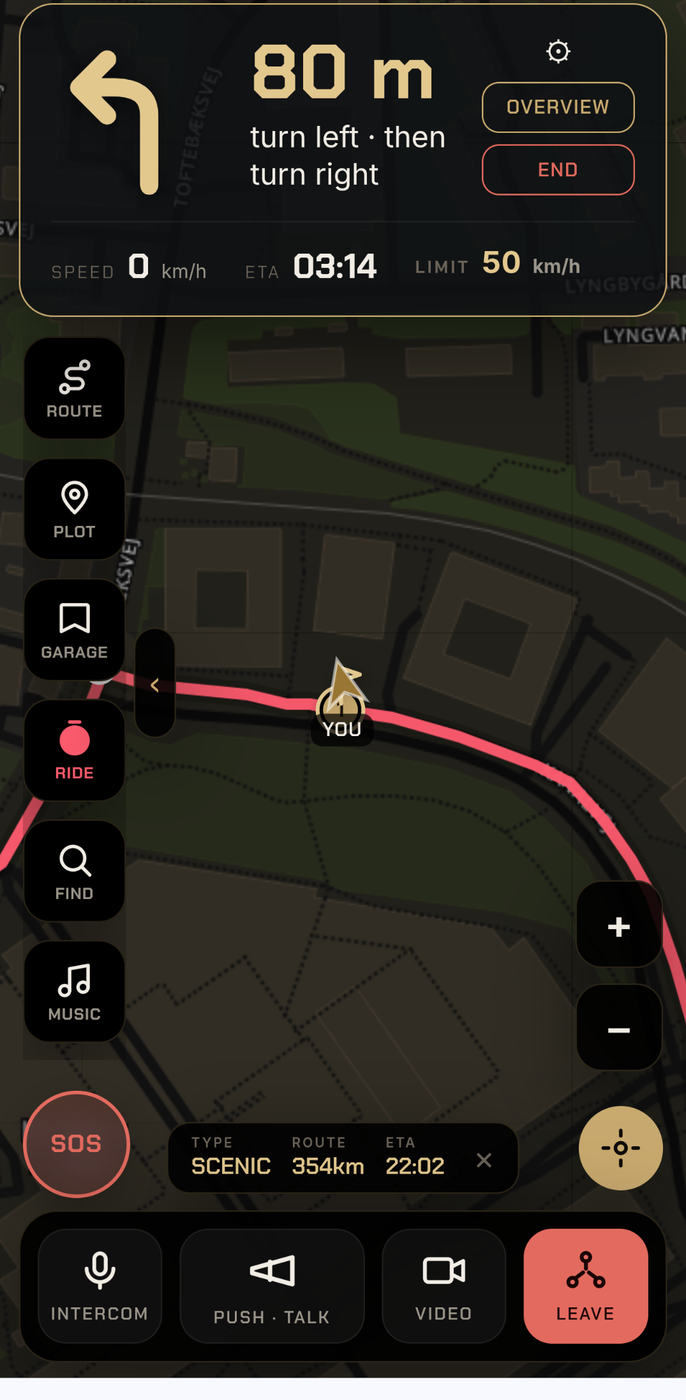
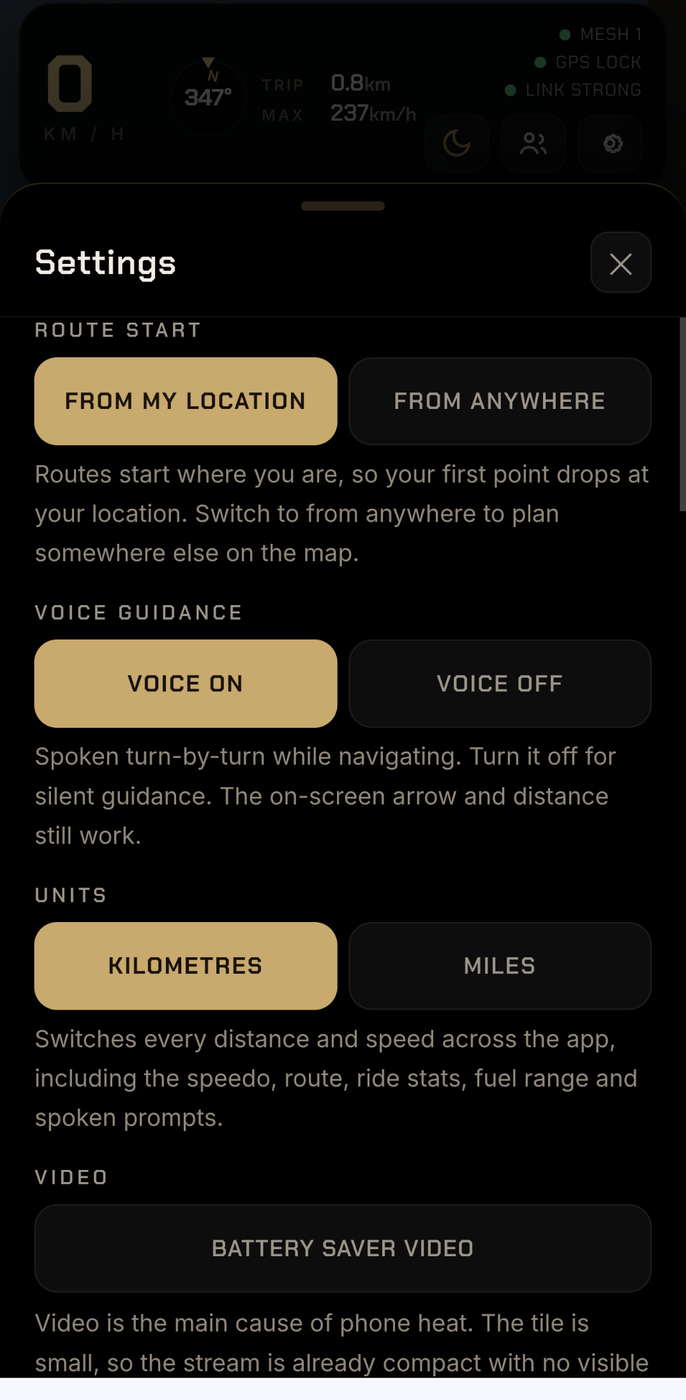
Made to read at a glance, with a glove on.
Big targets, a dark map that suits daylight and dusk, and only what matters while you are moving.
Talk to it. Keep both gloves where they belong.
Gloves and touchscreens have never got on. Say the wake word and finish the sentence, in Danish or English, with the visor down.
Say “Moto”
A short blip answers before anything else happens, so you know it heard you.
Speak normally
Take me to Kødbyen in Copenhagen. Make a 100 km curvy loop and stay in Denmark. Find the nearest fuel.
Watch it think
Heard, then understood, then the route. Every stage shows on screen and speaks, so you are never left guessing.
Ride
Say “Moto, stop listening” whenever you want the quiet back. One press of the ASK button does the same.
- Destinations by name, districts as well as towns
- Round trips by distance, road character and direction
- The nearest fuel, coffee or hotel, without leaving the route
- Add a stop mid-ride and keep the ride you are on
- Hand over the lead, regroup the pack, end the ride
Say it like this
- Go somewhere Moto, take me to Roskilde · Moto, kør mig til Kødbyen i København
- Make a loop Moto, lav en rundtur på 150 km · Moto, make a 100 km curvy loop to the north
- Add a rule stay in Denmark · avoid towns · no ferries · end at home
- Mid ride Moto, find the nearest fuel · Moto, add a coffee stop · Moto, how far to go
- Quiet Moto, stop listening · or press ASK
A distance and a direction give the best loops. Name the town as well as the district for small places. Your route settings apply to spoken routes too, and it reads them back before it builds.
Your voice stays yours. Speech is transcribed on your own server, alongside your own routing and your own map tiles. Nobody else hears the inside of your helmet.
From sign-up to riding in four steps.
Create your group
Start a trial and set up a group from your dashboard in under a minute.
Share the join key
Send your riders the group's private join key. Every group key is unique, so it only ever opens your group, and no two groups can share one.
Riders join
They open the app, enter the key and their name, and they are on the mesh.
Ride connected
Tap Start Nav and Intercom, and the whole group is on one map and one voice channel, with only the current speaker on screen so your eyes stay on the road.
Navigation across Europe. Intercom anywhere.
One continuous network
Plan and ride a route anywhere from the Nordics to the Mediterranean. Every European country sits in one road network, so a journey from Finland to Germany or from France to Denmark is planned as one route, not stitched together at the borders. Turn instructions, speed limits and camera warnings cover every European country.
Intercom has no borders
Voice and live rider positions work in any country, on any network, the moment your group has a signal. Coverage limits apply to route planning and offline maps only · they never affect whether your group can talk or see each other. Ride in Morocco or Montana and the mesh behaves exactly as it does at home.
More regions, one at a time
World maps are already on your phone wherever you ride. Full route planning with turn instructions, speed limits and cameras is being added region by region, each one tested properly before it goes live rather than switched on everywhere at once. North America is next, then South America.
Works with no signal
Navigation runs on maps stored on your phone, so once a route is planned it keeps guiding you with voice and your live position even where there is no mobile coverage. Map coverage is worldwide · download the areas you need before you leave.
Maps handover
On a group ride the leader can navigate in Google Maps while everyone else stays in Moto Mesh. The group still sees the leader's live position, still hears the intercom, and still follows on the shared map. Ideal for leaders who prefer Maps and its live traffic.
Maps as a fallback
If something is not behaving as it should in your area, or you simply prefer another engine for a leg, open Google Maps for that stretch. Your group presence, intercom and live tracking keep running in the background, so you stay part of the group.
One licence. The whole group rides.
Moto Mesh is licensed per group owner, never per rider. The owner subscribes · Touring or Club, with prices and limits as shown on the pricing page, for up to 20 riders across 3 groups on Club, or 10 in one group on Touring · and every rider joins with the group key and pays nothing. No accounts to buy, no per-seat fees, no app purchases for your friends. Everyone gets the full ride: the shared live map, mesh intercom, group navigation, the AI route generator, speed-camera warnings, ride video and crash detection · all on the phone already in their pocket.
On Touring, a full group works out at under €2 per rider a month · and the riders themselves pay zero.
Everything the group needs, in one licence.
Navigation apps such as Kurviger (Tourer+ €29.99 a year) and Calimoto (Premium 599 kr a year) are excellent solo planners · but each rider pays their own subscription, and there is no live group map, no intercom, no group safety layer.
Hardware mesh intercoms from Cardo and Sena are superb at one thing · talking. A Sena 50S runs about €270 and a Cardo Packtalk Edge over €330 per rider, so kitting out a ten-rider group costs around €3,000 before anyone has navigation, a shared map or camera warnings.
Moto Mesh puts the whole stack · group intercom, live rider map, shared navigation with the AI loop generator, speed cameras, video and crash detection · on the phones the group already owns, for one owner licence from €19 a month. Riders tag along free, always.
Competitor prices from vendor sites and independent reviews, June–July 2026 · may change.
One subscription covers your whole group.
You pay as the group owner. Your riders never pay a thing · they tap your NFC tag or open the link you send, and they are riding.
- 5 riders at once, one group
- Whole group on one voice channel
- Everyone on one live map
- Shared routes and bike routing
- Fuel, hazard and camera alerts
- 10 riders at once, one group
- Whole group on one voice channel
- Everyone on one live map
- Shared routes and bike routing
- Fuel, hazard and camera alerts
- Two months free when you pay yearly
- 20 riders at once, up to 3 groups
- Whole group on one voice channel
- Everyone on one live map
- Shared routes and bike routing
- Two months free when you pay yearly
Prices are billed monthly and cancel any time. Rider caps and features are enforced per plan.
Intercom that never stops.
The same Moto Mesh you ride with · plus native background power. Voice and live position keep working behind Google Maps, the camera, music · anything on screen.

Free to install · you need a group to ride.
Setup and every voice command →
- · Hand navigation to Google Maps mid-ride · the group stays connected and talking.
- · Updates arrive on their own · install once.
- · iPhone riders join from the browser today · an iOS app is on the roadmap.
WHAT ANDROID WILL ASK
Good to know before you ride.
Does video work while I am riding?
By default video is off during navigation, so nothing pulls your eyes from the road. Voice and the live map always work. You can choose to allow video while riding in Settings, after confirming you accept it is at your own risk, and full video is best when you stop to regroup.
Can I choose between a 3D and a flat 2D map?
Yes. The map opens in a fast 3D view that tilts to street level as you navigate, and you can switch to a clean flat 2D map anytime from the map or in Settings. 2D is lighter on the battery for long days out.
Do my riders need to pay or create accounts?
No. Only you, the group owner, hold the subscription. Your riders tap your NFC tag or open the invite link you send, and they are in · the join key is there as a fallback if neither is to hand. Nothing to buy and no account to make.
Which phones does it work on?
Any modern phone. Android riders install the Moto Mesh app · a free download from moto-mesh.com/get with true background intercom, kept up to date by itself. It works the same however you install it · you need a group to ride. iPhone riders ride from the browser today · add it to the home screen and it runs full-screen · a native iOS app is on the roadmap.
Does the voice work through tunnels and dead spots?
The mesh is built to ride through them. Brief drops reconnect on their own, and the app keeps trying to rejoin through longer notspots, restoring your mic and place in the group when signal returns.
What do I need to use the intercom?
A phone and a Bluetooth headset in your helmet. The app uses your phone's microphone for voice and mixes in your music from your own player.
How many riders can join?
Trial covers 5 riders in one group, Touring covers 10 in one group, and Club covers 20 riders across up to 3 groups. That is how many can ride at the same time · there is no limit on how many phones belong to a group over the years, only on how many are out together. You can move up a plan at any time.
Can I cancel?
Yes, any time, from your billing portal in the dashboard. Your subscription runs to the end of the period you have paid for.
What happens if I come off the bike?
Fall detection watches for a sudden stop after a crash-like jolt and, if you do not cancel, raises an alert to your group with your location. You can also trigger SOS yourself with one tap, which shows your position to your riders and puts your emergency contacts and the local emergency number right in front of you.
Does the routing work when we ride abroad?
Yes, anywhere in the world. Fast, curvy and scenic planning all work outside your home country, and a single tap keeps a whole ride inside the country you start in, so a loop never wanders across a border you did not intend.
I got a new phone. Do I lose my routes and contacts?
No. Back up in a tap and everything, your saved routes, places, SOS contacts, rides and settings, is stored to your group. On the new phone you enter one code and it all comes back. Backups keep dated versions, so you can always roll back to an earlier one.
Who can see where we ride?
Your group is yours. Live positions are shared only inside your group while you ride, and your personal routes and rides live on your own phone until you choose to back them up. There are no adverts and nothing is sold on.
Can I lock down my owner account?
Yes. Turn on two-factor sign-in from your dashboard and your account asks for a 6-digit code from your authenticator app on top of your password, with one-time recovery codes in case you lose the app.
Which audio profile should I use?
Balanced is the all-round default and works well on most bikes. On a big V-twin like a Harley, try Moto or Storm · they are tuned so the engine and exhaust do not drown out your voice. Natural HD and Track HD give the truest sound when you are stopped. You can switch profiles any time in Settings.
What is the community route board?
A shared library of real motorcycle routes. Every route was ridden and shared by a rider, with a description and tags so you know what you are getting. Browse, filter and search, then load any route straight into your own navigation and ride it with your group. Share your own rides the same way, and rate or comment to help others. Community browsing and sharing are part of a paid subscription.
Which areas does the navigation cover?
Routing covers the whole of Europe in a single network, so you can plan and ride a route anywhere from Scandinavia to southern Europe, including cross-border journeys planned as one continuous route. The map itself covers the entire world, and fast and scenic routing covers all of Europe. Because routing runs on your own maps, it keeps working once a route is planned even with no mobile signal.
Can I use Google Maps instead of the built-in navigation?
Yes. Moto Mesh is designed to work alongside Google Maps. On a group ride the leader can navigate in Maps while the group stays in Moto Mesh and still sees the leader's position, hears the intercom, and follows on the shared map. You can also switch your own navigation to Maps for any leg where you prefer it, and your group presence and intercom keep running in the background.
What if the navigation is not working well in my area?
Open Google Maps for that stretch. Your Moto Mesh group tracking and intercom keep running while you do, so you stay part of the group. Moto Mesh handles navigation for most journeys, and Maps is there as a dependable backup whenever you want it.
Does the leader have to use Moto Mesh navigation?
No. The leader can navigate however they like, including Google Maps, while everyone else keeps the full Moto Mesh experience and follows the leader's live position. Leadership can be handed over to another rider at any time.
Get your group on the mesh.
Start the free trial, set up a group, and take it on your next ride.